Media Streaming Dashboard Template
High-fidelity UI inspired by premium media platforms.
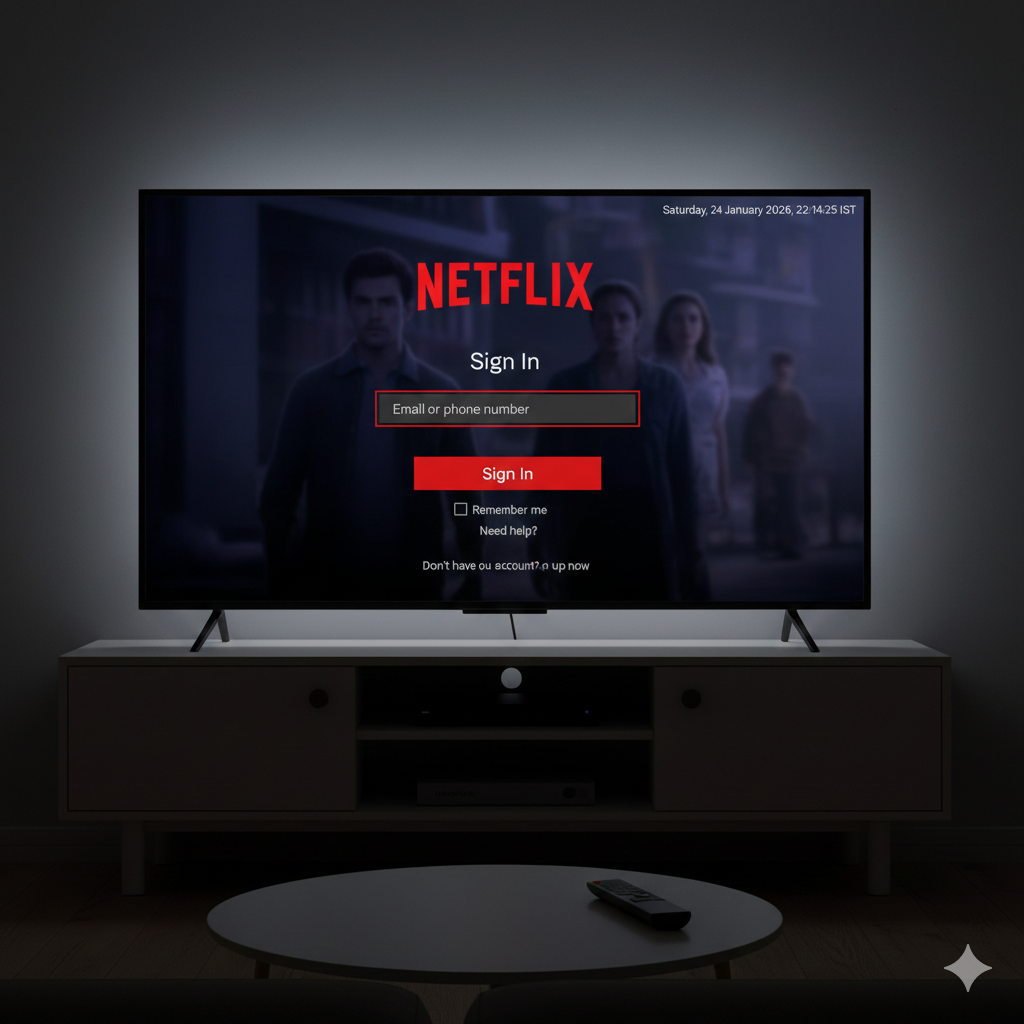
Project Overview
A professional dashboard template design for media and streaming platforms. Features a deep cinematic aesthetic with blurred content overlays, modern input fields, and brand-ready call-to-action elements.
- Brand Identity Focus
- Responsive Form Fields
- Custom Video BG Simulation
- Footer Social Integration
- Pixel-Perfect Design
- Modern CSS Layouts
📄 index.html
How HTML Works:
The code uses simple semantic HTML for the navigation logo and the login form container. Input fields are designed with custom labels that animate on focus.
<nav>
  <a href="#"><img src="logo.png" alt="logo"></a>
</nav>
<div class="form-wrapper">
  <h2>Sign In</h2>
  <form action="#">
    <div class="form-control">
      <input type="text" required>
      <label>Email or phone number</label>
    </div>
    ...
  </form>
</div>
🎨 style.css
How CSS Works:
The background image is applied to the body::before pseudo-element with a dark overlay.
The floating labels use the :is(:focus, :valid) selectors to move up when the input is
interacted with.
.form-control input:is(:focus, :valid) ~ label {
  font-size: 0.75rem;
  transform: translateY(-130%);
}

.form-wrapper {
  position: absolute;
  left: 50%;
  top: 50%;
  background: rgba(0, 0, 0, 0.75);
  transform: translate(-50%, -50%);
}
How Everything Works Together
1. Dark Overlay: The body::before element uses a low opacity
(0.5) over a high-resolution background image to create a cinematic feel.
2. Floating Labels: Using :is(:focus, :valid) ~ label, we can keep
labels persistent when a field has valid text, preventing overlap.
3. Grid & Flex: The layout combines absolute positioning for centering with Flexbox for internal form element spacing.
4. Brand Accuracy: Specific hex codes like #e50914 (Netflix Red) are
used to match the official brand guidelines exactly.